 Krater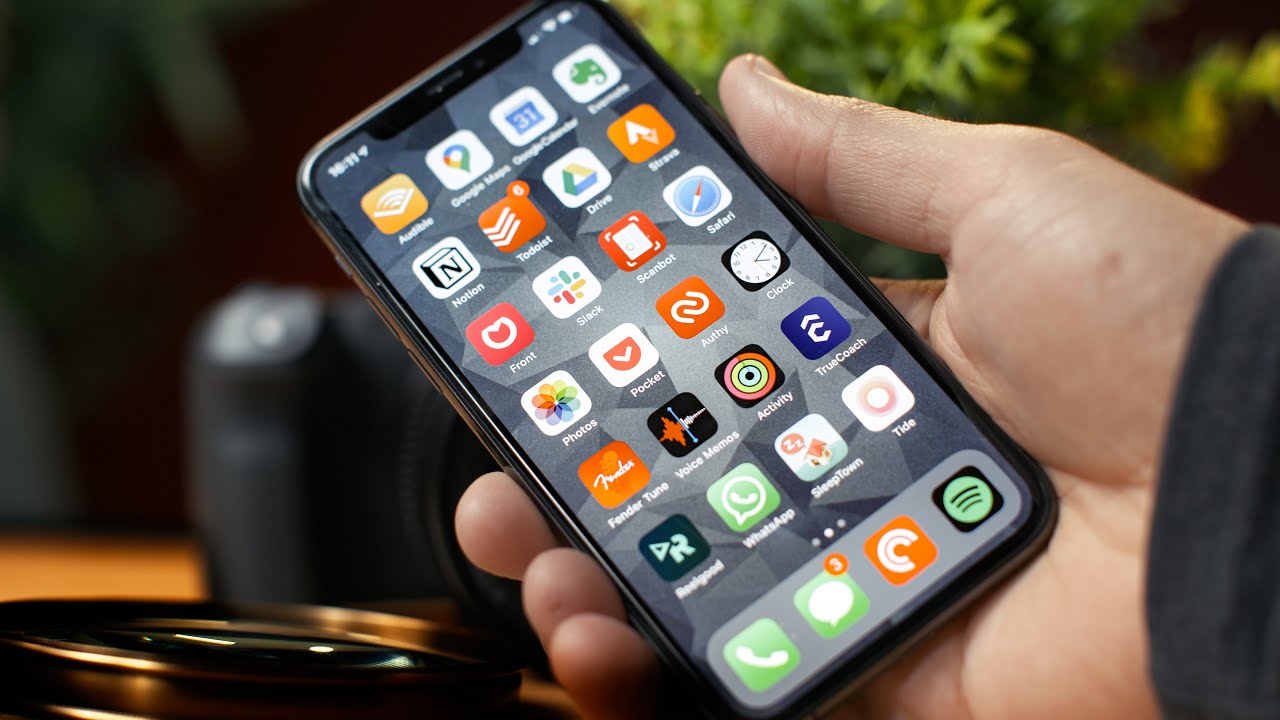
How to Make Your Phone Less of a Distraction
A video on YouTube. In Self-Improvement, a Krater category.
Watch on YouTubeSummary by Krater
The creator goes through his iPhone home screen and apps, evaluating which ones he actually uses, which ones duplicate other devices, and how to reduce distractions using built-in settings and apps like Notion, TrueCoach, and RealGood.
From the video
Answers: How do I organize my iPhone apps and reduce smartphone distractions?
- Smartphone minimalism and app organization
- Screen Time app limits and downtime
- Removing distracting apps and search indexing
- Curating productivity apps like Notion and Voice Memos
Exercises
- pull-up · pull-up bar
- overhead press · barbell
- kettlebell goblet squat · kettlebell · 4 sets of 10 reps
- kettlebell 1-arm deadlift · kettlebell · 4 sets of 10 reps
What it concludes
- Apps should be evaluated by asking whether they are actually used, duplicate functionality on other devices, have drawbacks that outweigh benefits, or act as time sucks.
- Proactive app management and setting Screen Time limits help reduce smartphone distractions.
- Disabling apps from Siri search results adds friction and prevents accidental time-wasting.
- Using specialised apps like RealGood for tracking movies and TrueCoach for workouts streamlines daily routines.
Rate it, review it and add it to your lists in Krater.
Titles and thumbnails from YouTube. Krater isn't affiliated with, endorsed by or sponsored by YouTube or Google.