 Krater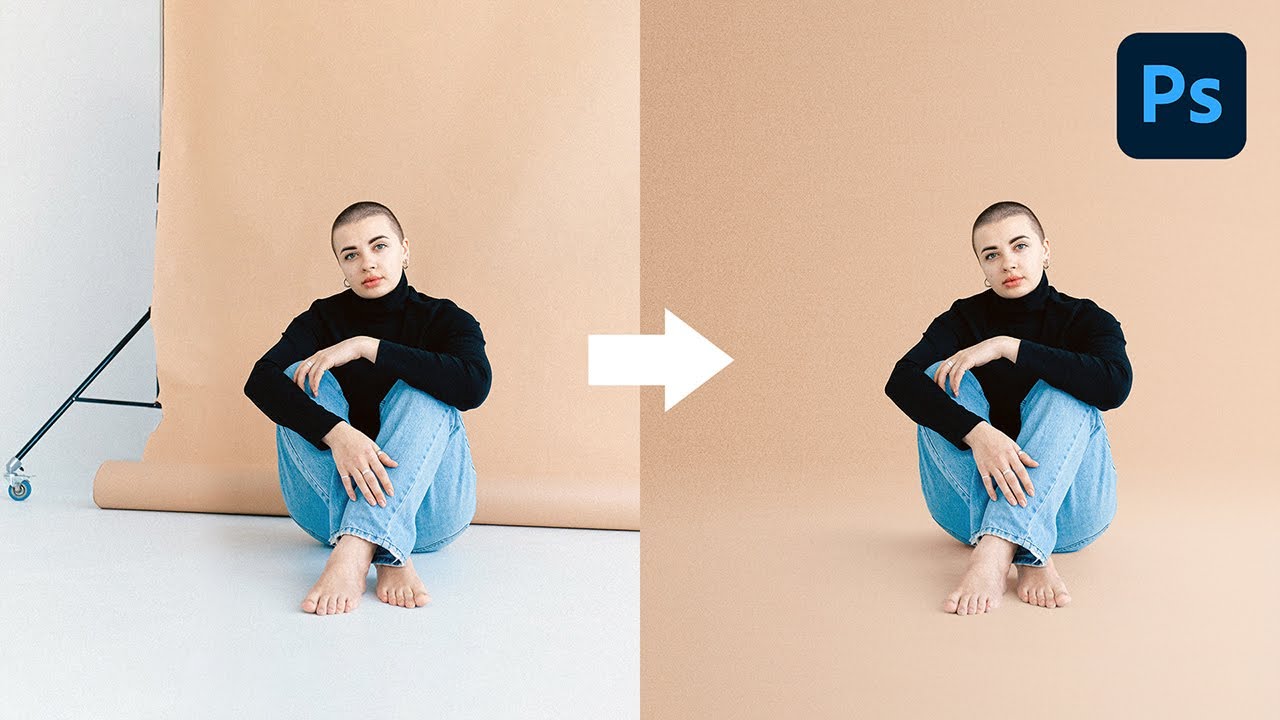
Create Flawless & Seamless Backdrops with Photoshop
A video on YouTube. In Photography & Film, a Krater category.
Watch on YouTubeSummary by Krater
This tutorial demonstrates a step-by-step technique in Adobe Photoshop for creating a seamless, wrinkle-free photo backdrop complete with natural shadows, ground lighting, grain, and color correction to match the subject.
From the video
Answers: How do I create a seamless backdrop in Photoshop?
- Seamless backdrop creation in Photoshop
- Subject selection and masking
- Adding and adjusting shadows
- Creating gradients for backdrop lighting
- Color correction and hue saturation
- Adding grain and noise matching
What it concludes
- Using subject selection provides a great starting point for creating backdrop layers with masks.
- Applying the Multiply blend mode to the shadow layer with desaturation creates a realistic shadow without color cast.
- Using a Hue/Saturation adjustment layer with Colorize enabled helps match the shadow color to the background.
- Adding a grain filter set to overlay with monochromatic noise makes the synthetic background blend naturally with the subject.
Rate it, review it and add it to your lists in Krater.
Titles and thumbnails from YouTube. Krater isn't affiliated with, endorsed by or sponsored by YouTube or Google.