 Krater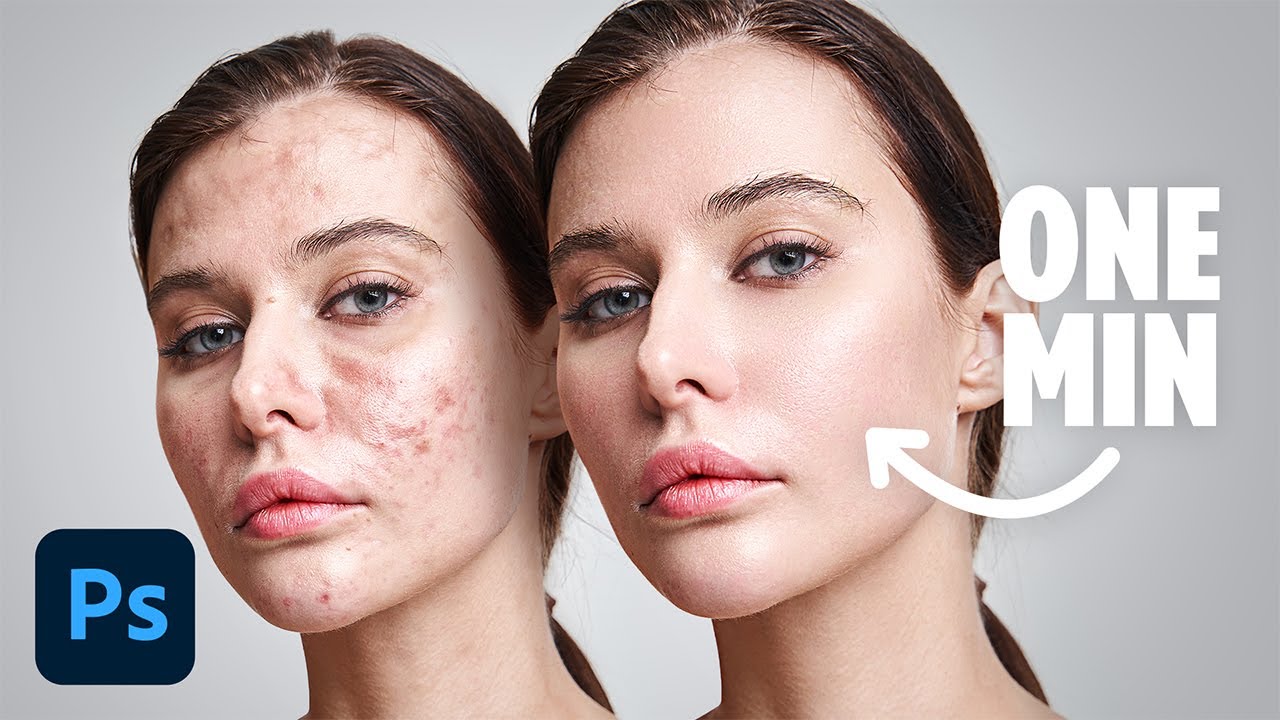
Flawless 1-Min Skin Retouch Action in Photoshop!
A video on YouTube. In Photography & Film, a Krater category.
Watch on YouTubeSummary by Krater
The video demonstrates a quick skin retouching technique in Photoshop 2025 using a combination of median blur, noise, and high pass filters on separate color and texture layers, and shows how to record this workflow as a reusable Photoshop action.
From the video
Answers: How do I quickly retouch skin in Photoshop without plugins?
- skin retouching in Photoshop
- frequency separation alternative
- median blur skin smoothing
- overlay noise for skin texture
- recording Photoshop actions
What it concludes
- A new skin texture can be created in Photoshop using a median blur on a color layer and added noise with a Gaussian blur on an overlay layer.
- Recording the retouching steps into a Photoshop action allows applying the entire skin retouch with a single keyboard shortcut.
- Adjusting the underlying layer blend if-grey sliders allows targeting the retouching away from pure highlights and deep shadows.
Rate it, review it and add it to your lists in Krater.
Titles and thumbnails from YouTube. Krater isn't affiliated with, endorsed by or sponsored by YouTube or Google.